
You already knowwhat that car cost you.
Shata Automotive OS is the operating system for used-car dealerships. It turns purchase price, transport, parts and labour into one live cost per car, keeps that margin visible to owners only, and runs stock, leads and the whole sales pipeline alongside it — in Arabic first.
The problem
The purchase price is in one place. Everything else is a guess.
You buy a car. You spend on transport, reconditioning, tyres, photography. What did that car actually cost you? Most dealerships can answer that in an evening with receipts and a calculator — after the car has already sold, when the answer no longer changes anything.
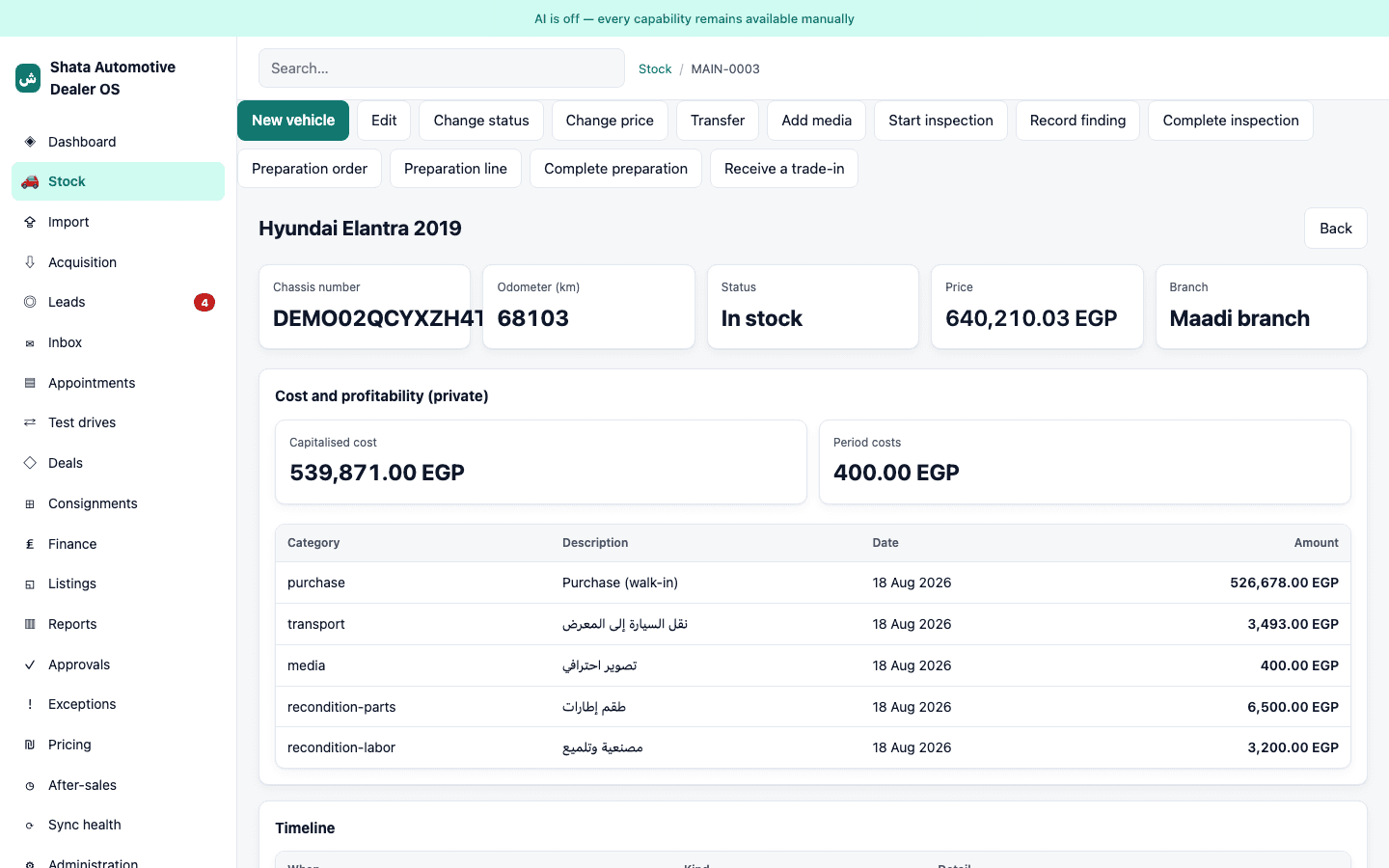
Automotive OS keeps that number live on the car's own page as costs are added, keeps it visible to the owner only, and puts inventory aging next to it — so a car quietly losing money shows up before the quarter does, not after.
Core modules
One system for the lot, the leads and the paperwork.
Inventory & Aging
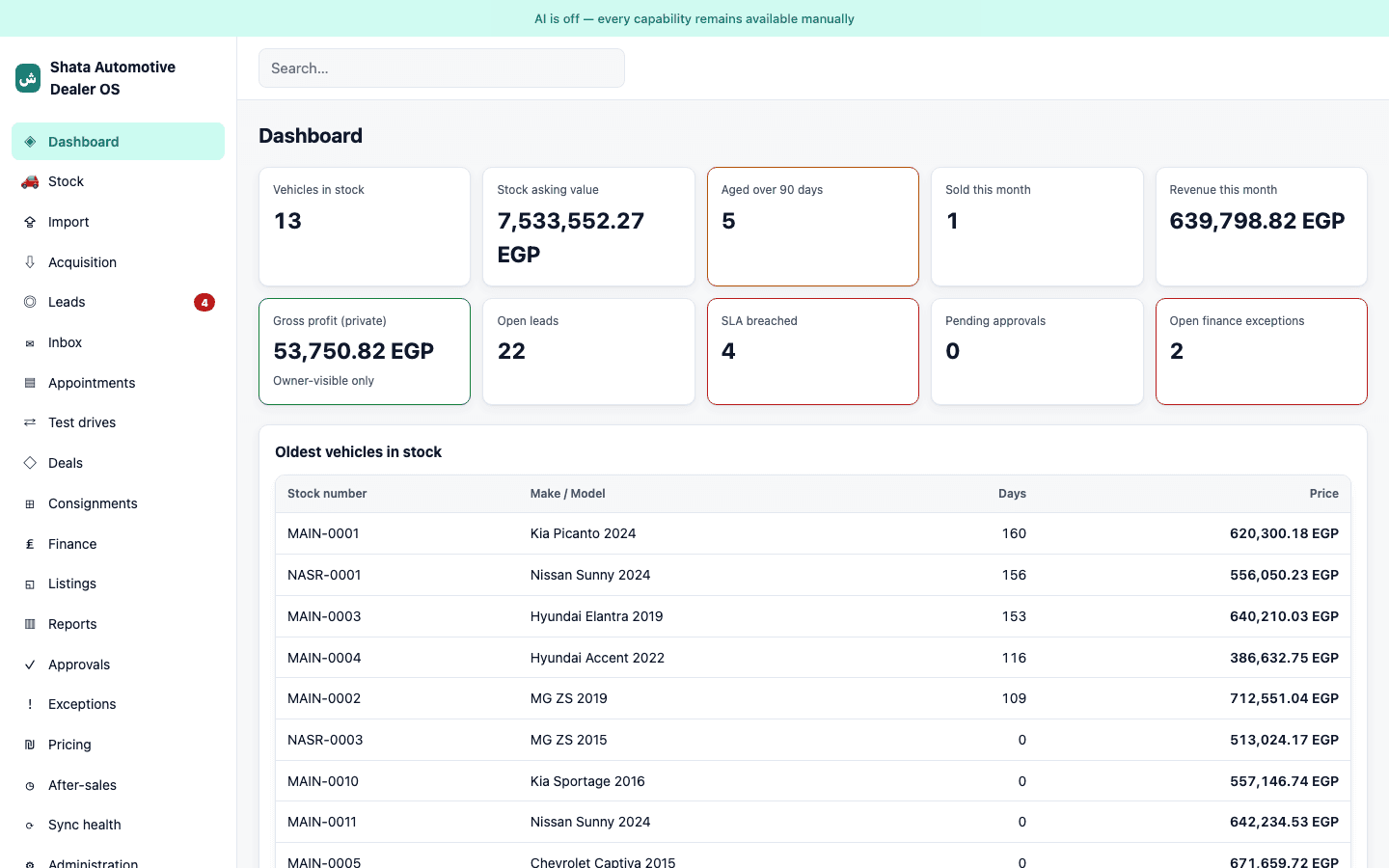
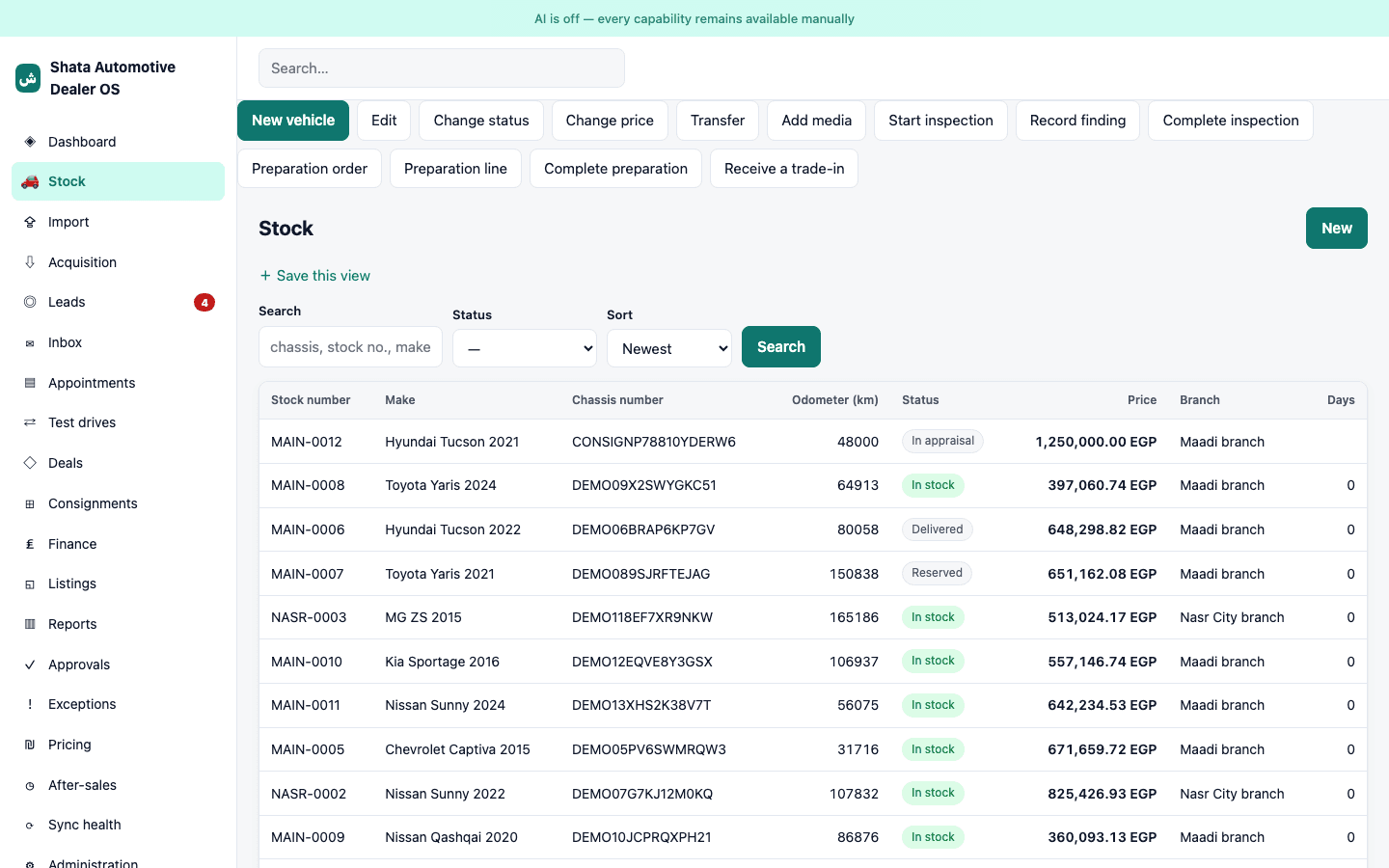
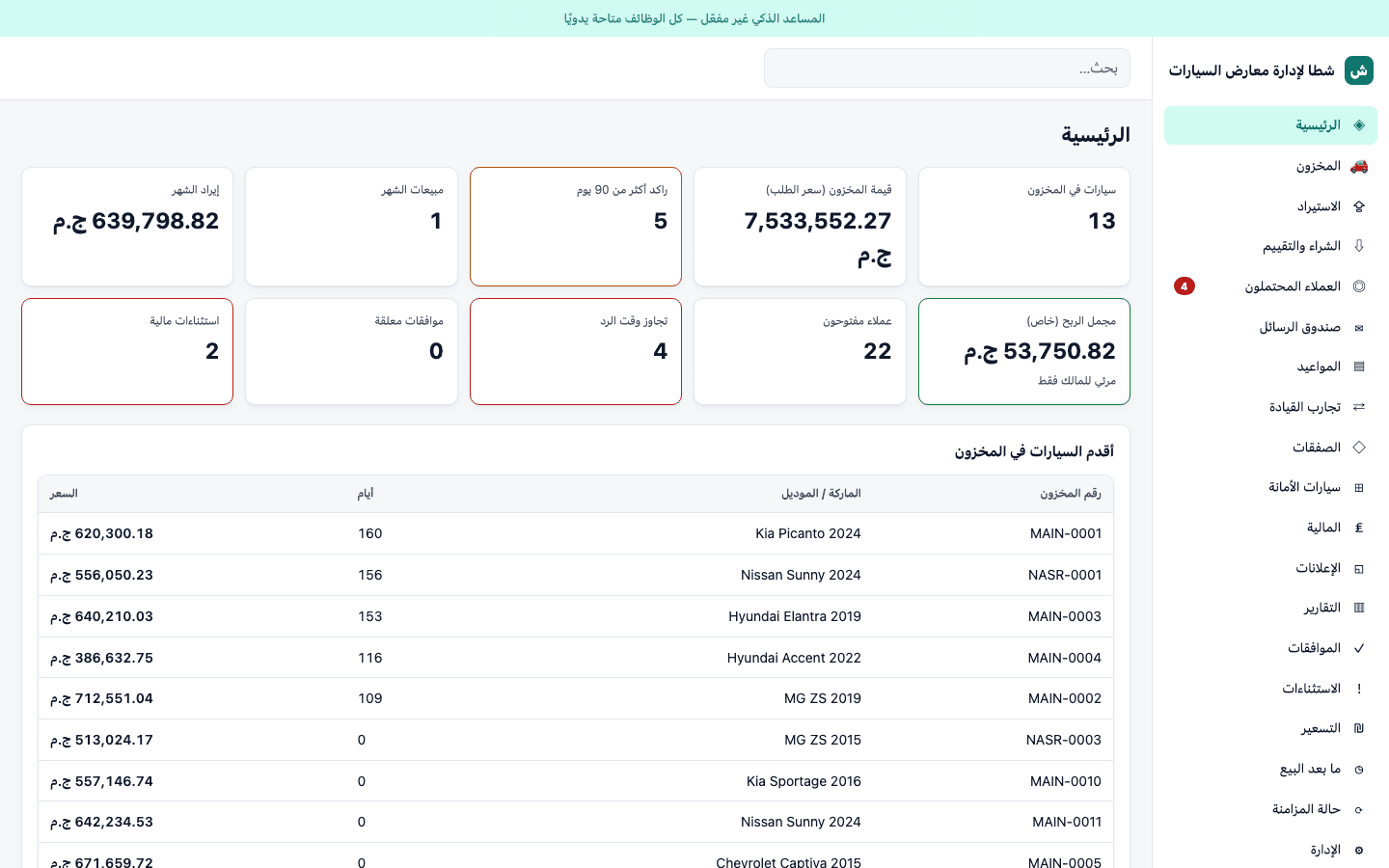
Every car by chassis number, photos, condition and papers — with days-in-stock visible at a glance, not buried until quarter end.
True Cost & Profitability
Purchase price, transport, parts, labour and photography, itemised against the car and rolling up into one live number.
Leads & CRM
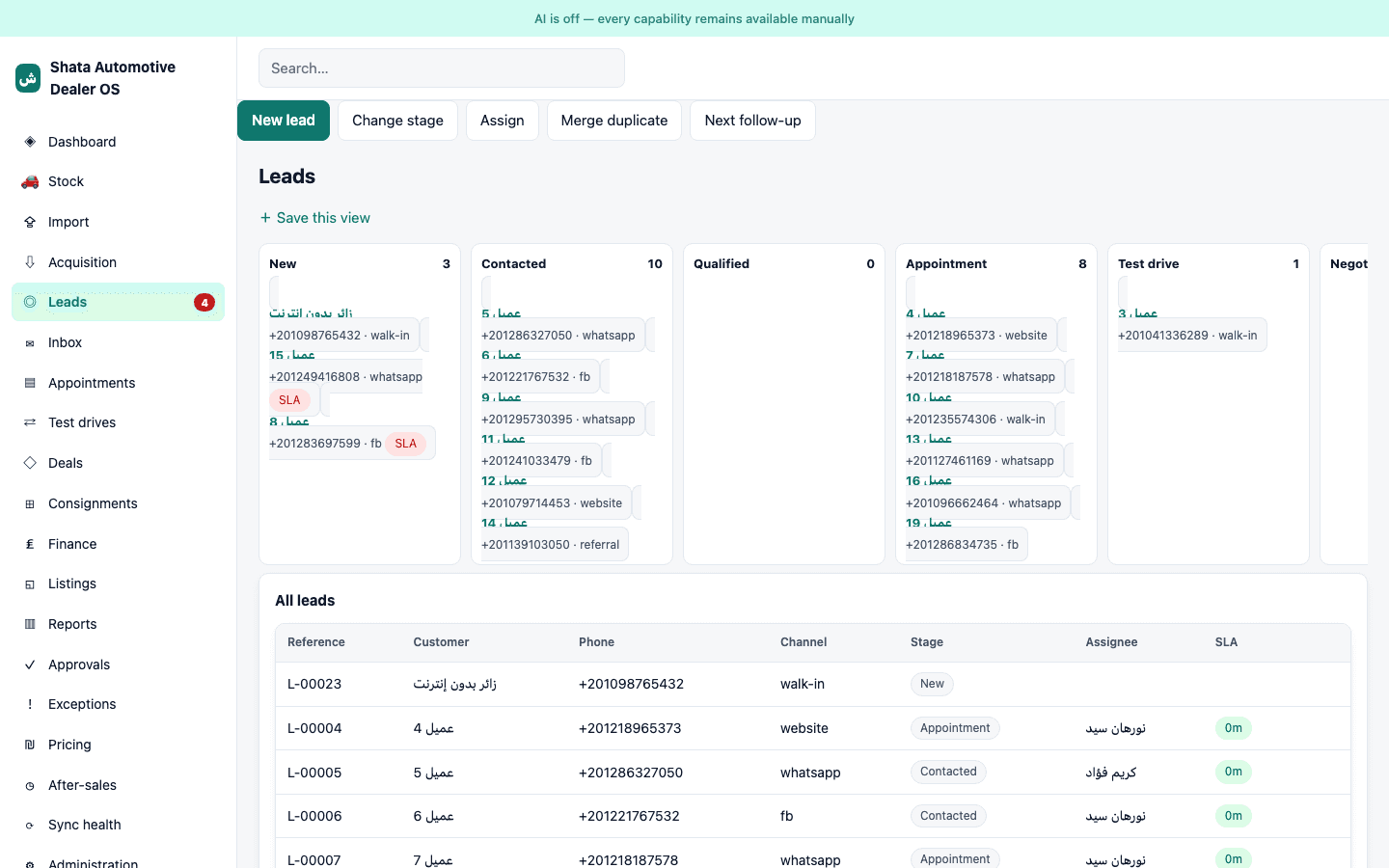
Every enquiry — walk-in, phone, WhatsApp, Facebook, stock page — in one place, with an owner and a response clock.
Sales, Reservation & Delivery
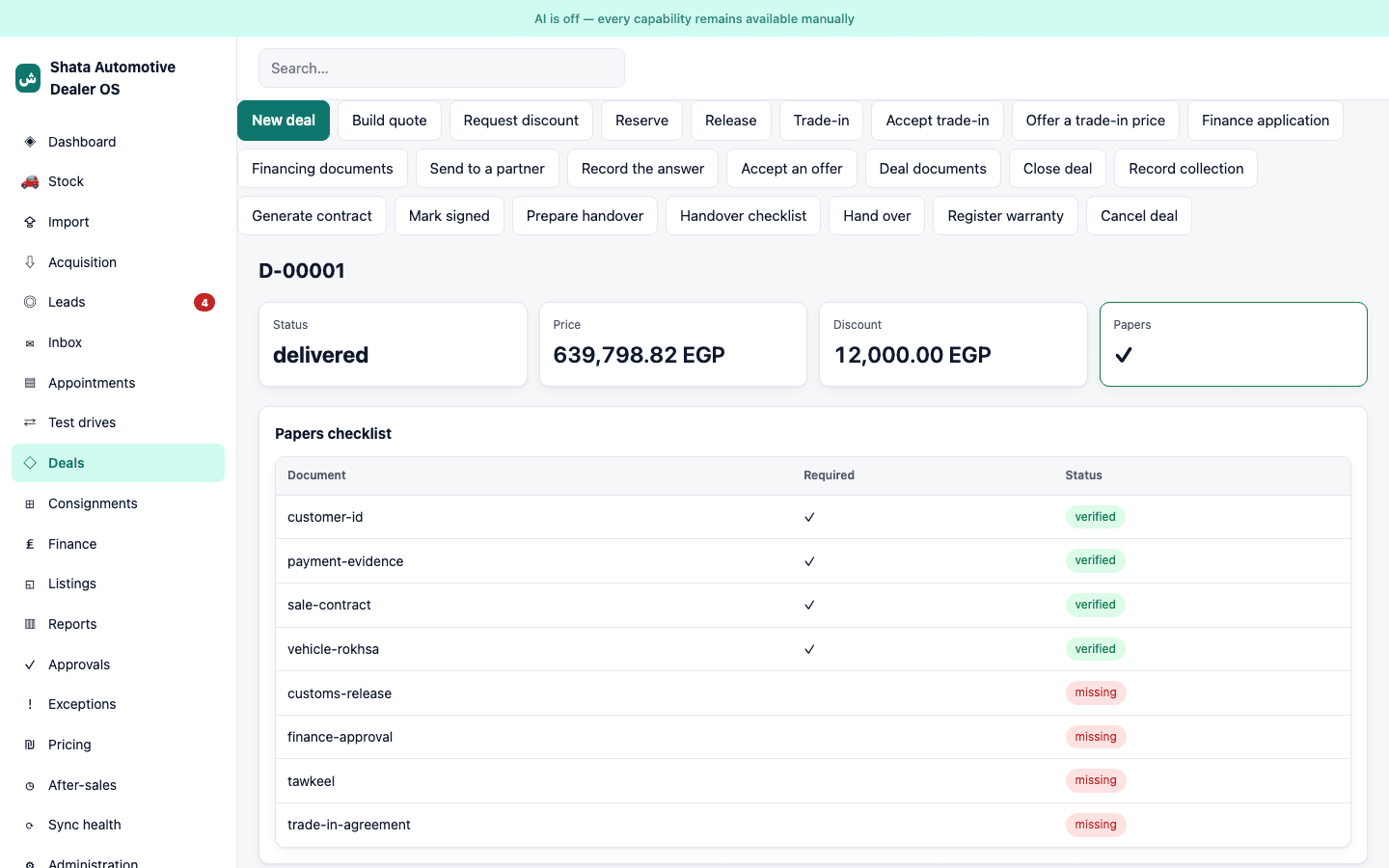
Quotation, discount approval, reservation, deposit, contract and a delivery checklist — one record from enquiry to handover.
Trade-Ins & Consignment
Take a car in against a sale and it becomes stock with its own cost history; consignment cars stay tracked separately with owner terms.
Multi-Branch
Each branch keeps its own stock, staff and numbers. Staff see their branch; the owner sees all of them together.
Staff Roles & Permissions
Owner, manager, salesperson, accountant, inspector. People see what their job needs — every significant action is recorded against who did it.
Data Import
An existing spreadsheet of stock, customers or leads is previewed row by row before anything is created. Nobody retypes an inventory.
Arabic & English
Arabic, right-to-left, is the default — built that way, not translated afterwards. English is one click away, per user.
Works Offline
Key day-to-day work continues when the connection drops and syncs when it returns — built for how the country actually connects.
See it
The real product, not a mockup.
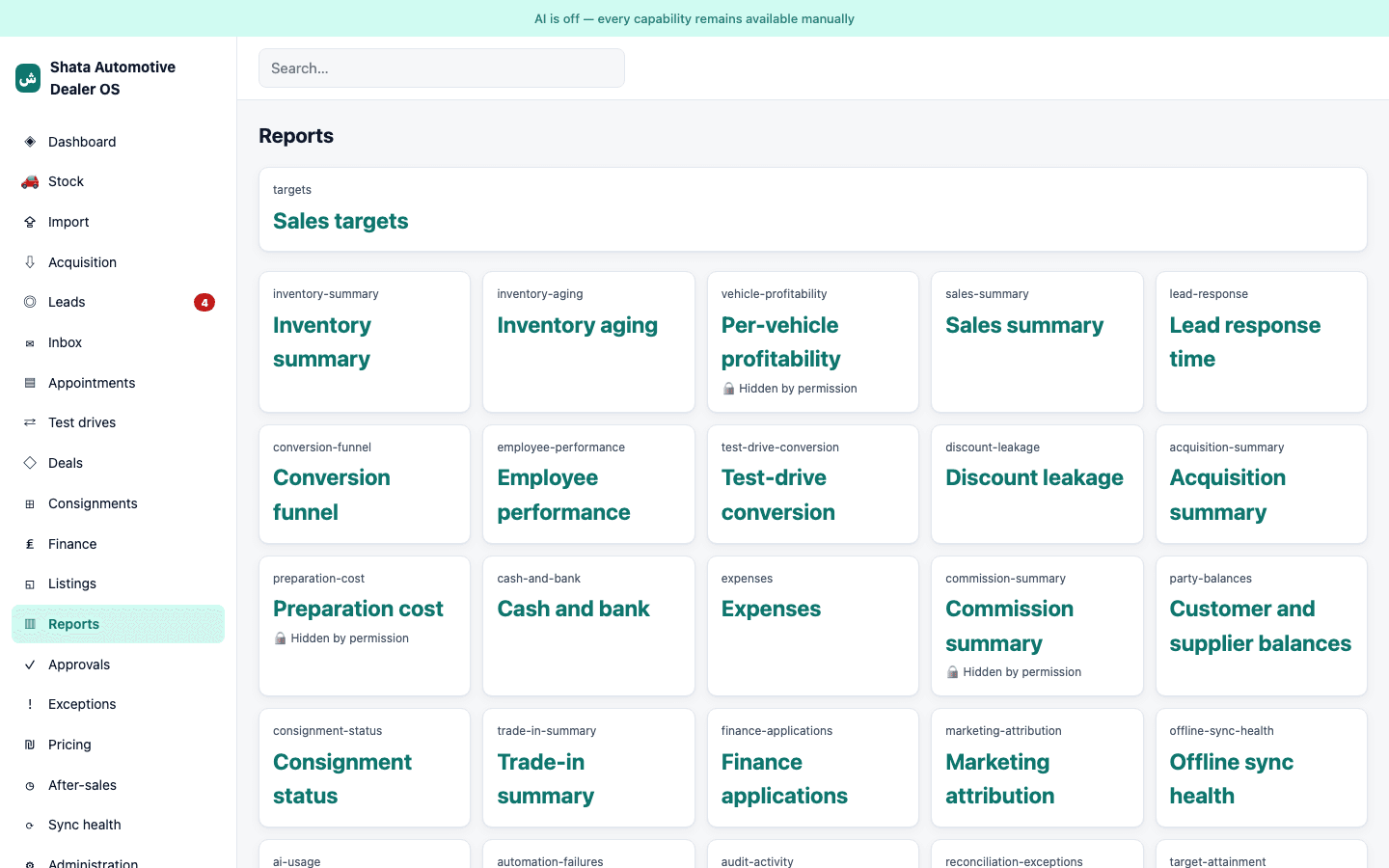
Every screen below is the shipped product running against a seeded demo dealership — synthetic data, real screens.
Security & audit
Margin privacy is architecture, not a setting.
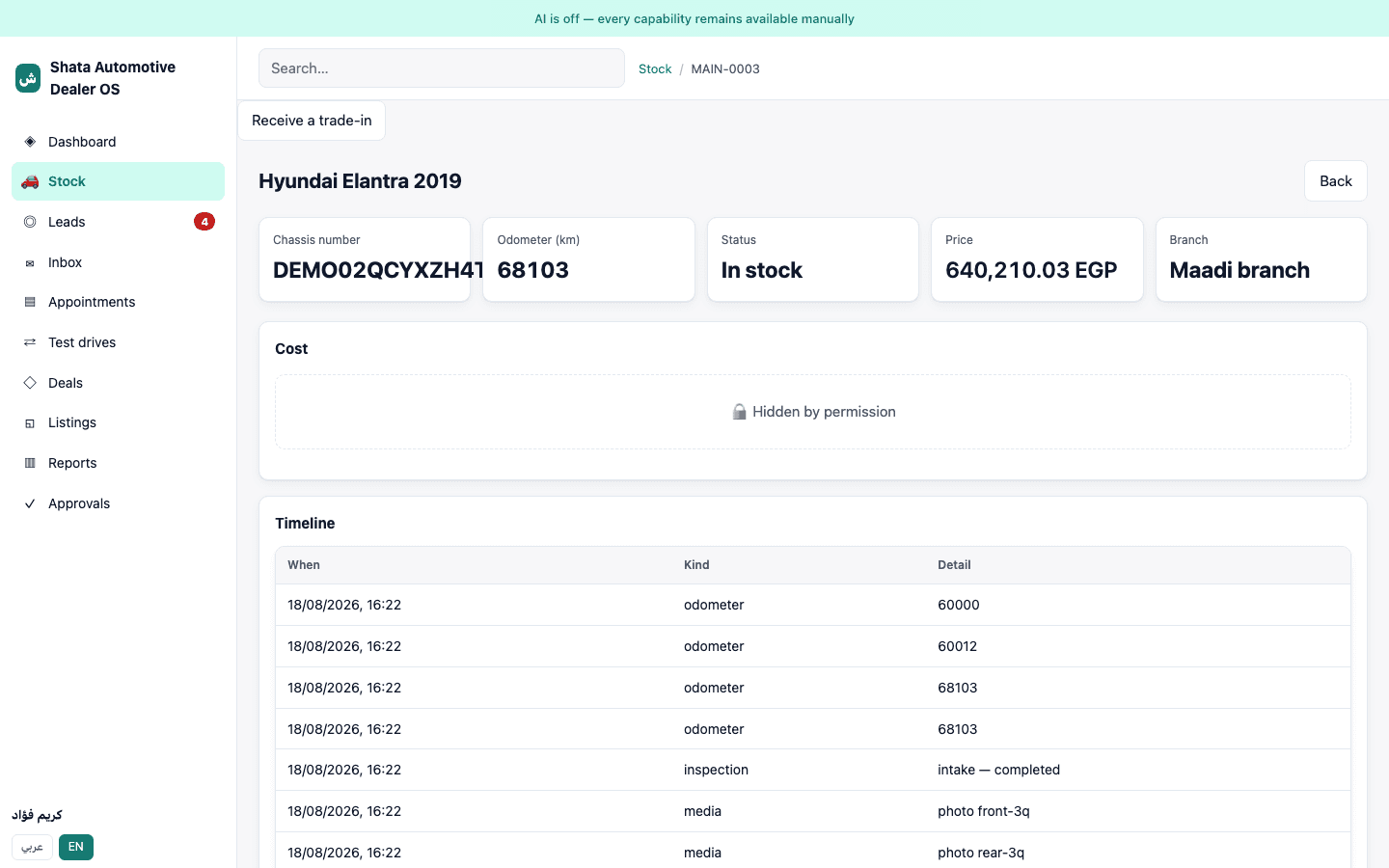
Cost and profit fields are hidden from every role except the owner by default, everywhere in the product — nobody has to remember to configure it that way.
01
Owner-only margin by default
Cost and profit fields are hidden from every role except the owner, in the design — not a checkbox someone has to remember
02
Tenant isolation at the database
Every dealership's data is separated at the database level, not by an application filter someone could forget
03
Full audit trail
Significant actions are recorded — who, what, when — against the person who took them
04
Backups, proven not promised
Backup and restore have been run and verified, not just documented
05
Server-side authorization
Every role's access is checked on the server on every request, not assumed from what the screen shows
See it end to end. No spreadsheet required.
A public, self-serve demo is not published yet. Until one is registered in the canonical activation profile, we walk you through the same screens directly — use Start Setup below, or ask for a walkthrough on your first call.
- 1Sign in as the owner and open the stock list — see how long each car has been sitting next to what it cost.
- 2Open one car's cost and profitability panel: purchase, transport, parts and labour rolled into one live number.
- 3Sign in as a salesperson and open the same car — the margin is gone, the retail price isn't.
- 4Open Leads to see enquiries from every channel landing in one place with a response clock.
- 5Follow one deal from quotation through reservation to a delivered handover checklist.
- 6Switch the interface to Arabic, then back to English, on the same account.
Where it stands
Automotive OS is a working product, released and ready to run a real dealership's day-to-day — stock, cost, leads, sales, delivery, reporting. A handful of outward connections are deliberately still manual rather than automatic, and each ships when a real dealer needs it, to every dealership at once rather than as a one-off build:
Automatic WhatsApp sending
Conversations are recorded and outgoing messages are queued today; a person presses send until a WhatsApp Business provider is connected.
Direct portal publishing
Listings are prepared and tracked per portal (Hatla2ee, Dubizzle, ContactCars); the direct connection is added per portal, when a dealer needs it.
Direct lender submission
Finance applications are routed and tracked to approval today; the direct connection to each lender is a later, per-partner integration.
Posting straight into an accounting system
The product already produces proper double-entry journal entries and exports them. Direct posting waits until an accountant has reviewed the mapping.
If you are evaluating it for a real dealership, ask us about any of these directly — we would rather tell you what is manual today than let you discover it in month two.
Who it's for
Independent and small-chain used-car dealers.
One lot or several branches, currently tracking cost, stock and leads across spreadsheets, receipts and WhatsApp threads — and ready to see true margin per car without handing that number to every salesperson on the floor.
Talk to us
Bring your lot's real numbers into one place.
Tell us about your dealership — how many branches, how stock and leads are tracked today. We will walk you through the product against your own numbers.